The Slack Handover Playbook for PTO, Sick Leave, and Time Zones
A practical handover system for Slack so messages, mentions, and follow-ups do not disappear when someone is away.
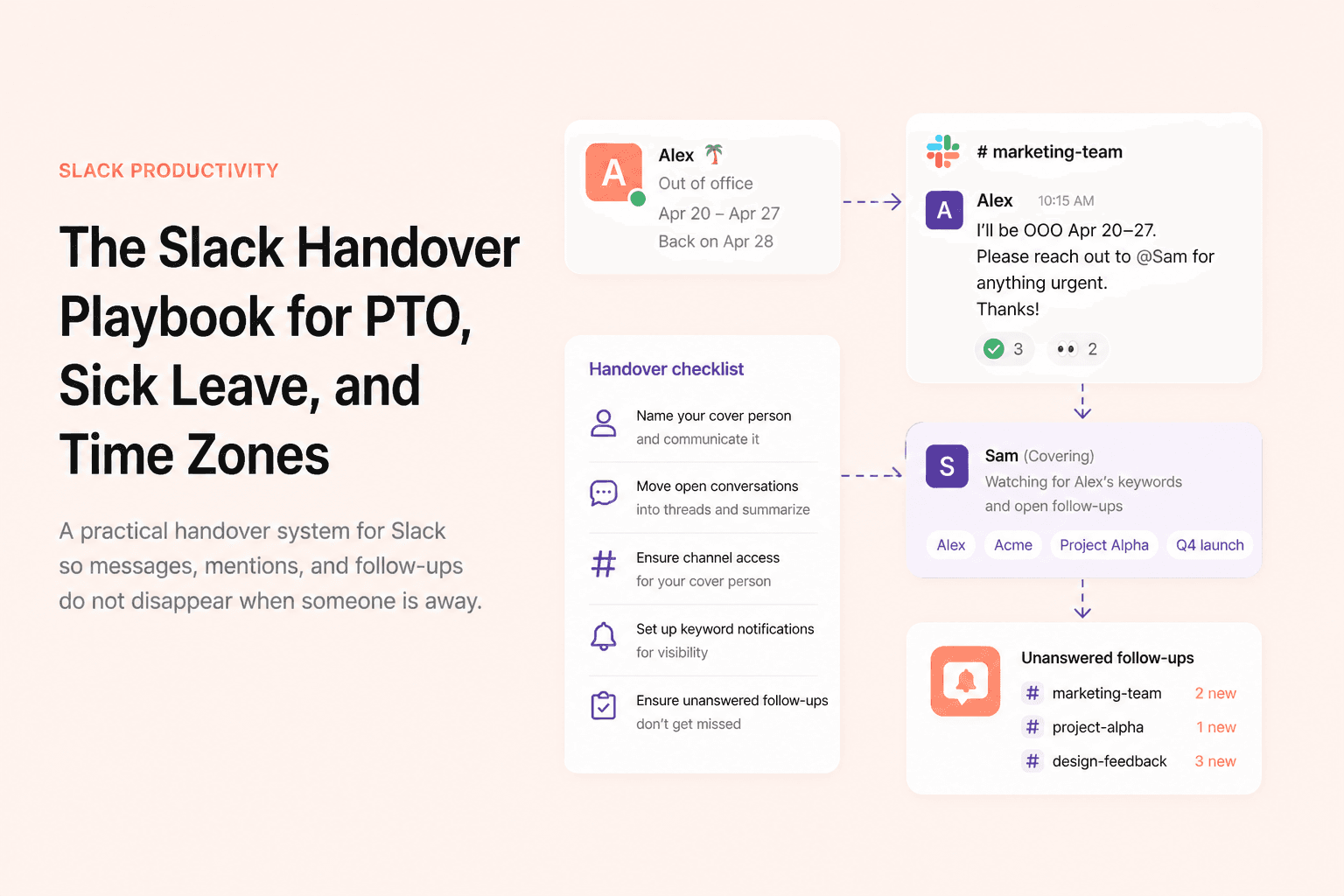
Slack handovers fail for a simple reason: the work does not stop when someone goes offline. Questions still get asked, decisions still need replies, and mentions still show up in channels that nobody is actively watching on behalf of the absent person.
That is true during vacation, sick leave, parental leave, and even ordinary timezone gaps. The fix is not a giant documentation process. It is a short, repeatable handover system that makes coverage visible and actionable inside Slack itself.
Why Slack handovers usually break
- The absent person updates their status but does not tell channels who is covering.
- The cover person sees mentions but cannot tell which ones were already handled.
- Important follow-ups stay in threads that no one intentionally checks.
- Coverage starts after the person is already away, when the right channels and context are harder to recover.
1. Make your availability visible
Start with the basics: update your Slack status, pause notifications if appropriate, and make your return window explicit. If the absence is planned, add it to your display name or status text so people see it wherever your name appears. Visibility reduces confusion before it starts.
2. Name the cover person in the right channels
Do not assume people will infer who is covering. Post a short message in the channels where you are active and name the person directly. The more specific the handover note, the less likely your teammates are to guess wrong or continue asking you by default.
3. Move open conversations into threads before you leave
If there are active topics you still own, consolidate them. Reply in the thread, summarize the current status, and explicitly state what remains open. That gives your cover person a clear anchor point instead of forcing them to reconstruct context from scattered channel messages.
4. Set up keyword coverage for names and projects
Keyword notifications are useful for coverage because they help your backup person notice when your name, customer, or project appears in channels they are already in. This is often the fastest visibility layer for short absences or recurring shared coverage.
5. Give your cover person channel access before the handover starts
Coverage fails when the backup person is technically responsible but not actually in the right channels. Before the handover begins, make sure they are added to the places where your name, projects, and routine follow-ups are most likely to appear.
remindo
Want Slack to resurface unanswered messages automatically?
remindo tracks unanswered questions, mentions, and supported follow-up flows inside Slack.
See how remindo works →6. Add a system for unanswered follow-ups
This is the layer that teams often forget. Keyword alerts can show your cover person that your name came up. They do not show whether the message was answered. For a real handover, the cover person needs a way to surface the conversations that still require action instead of monitoring every mention manually.
That is where remindo is especially useful. In channels where remindo is installed, you can use it to follow people and surface unanswered questions, mentions, and supported follow-up flows. For PTO, timezone coverage, and recurring backup roles, that gives the cover person a much cleaner signal: not every mention, just the ones that still seem unresolved.
A simple handover checklist
- 1.Update your status and expected return window.
- 2.Post a short handover message in the channels that matter.
- 3.Name one clear cover person for each important workflow.
- 4.Make sure the cover person is already in the right channels.
- 5.Use keyword notifications for visibility into your name and projects.
- 6.Add a follow-up layer for messages that still need a reply while you are away.
Good Slack handovers are not complicated. They are explicit. Everyone knows who is away, who is covering, where the context lives, and how unanswered conversations will get resurfaced. Once those pieces are in place, absence stops feeling like a communication risk and starts feeling like a normal part of team operations.
