Why Your Team Ignores Your Slack Messages (And How to Fix It)
You sent the message. You waited. Nothing. Here is why Slack messages get ignored — and the practical steps to make sure the right people actually respond.
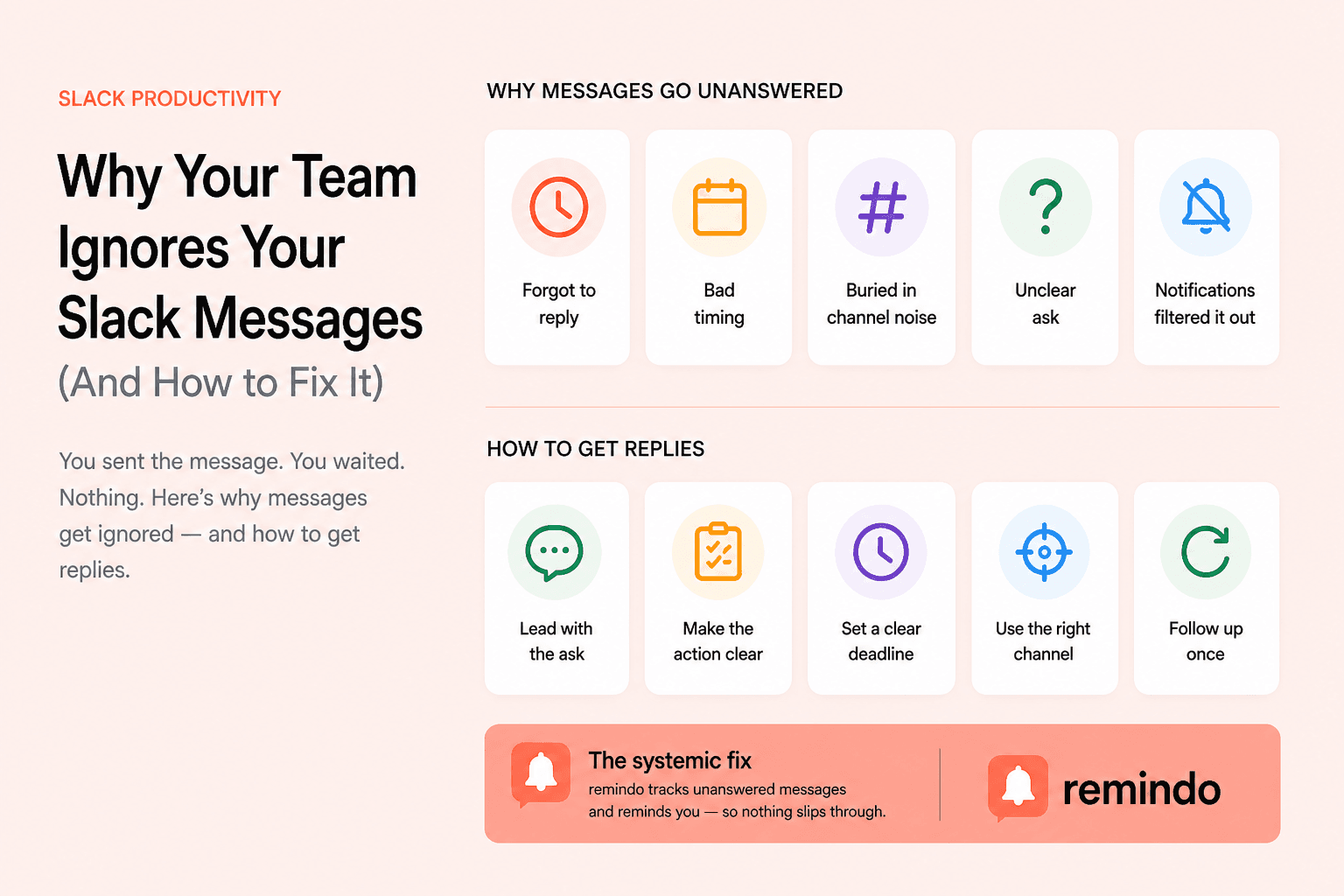
You write a clear message. You hit send. An hour later, still nothing. You check if the person is online — they are. You wonder if you should ping them again, but that feels pushy. So you wait. Meanwhile, the thing you needed an answer on is blocking you.
This is one of the most common frustrations in Slack-heavy teams. And it is not just you. The numbers behind how people actually use Slack explain a lot.
In that environment, messages do not get ignored because people are rude. They get ignored because the system is overwhelmed.
The real reasons messages go unanswered
Before you change how you write messages, it helps to understand why yours are getting lost. There are a few consistent patterns.
1. They saw it, intended to reply, then forgot
This is the most common reason. Someone reads your message on their phone during a meeting, mentally marks it as "I will respond properly later," and then that mental note gets overwritten by the next 40 things that happen in their day. This is not carelessness. It is how human memory works under high cognitive load.
2. The message arrived at the wrong moment
Timing matters enormously in async communication. A message that lands right before someone goes into a two-hour block of meetings has a very different fate than one that arrives when they are at their desk with space to respond. The same message, same person, very different outcomes.
3. Your message got buried by channel noise
In active channels, messages have a short window before they scroll out of view. If the channel sends 50 messages a day, anything more than a few hours old is effectively invisible. Many teams create channels for every project, every team, every initiative — and then no one can keep up with any of them.
4. It was not clear that a reply was needed
A significant number of "ignored" messages are actually messages where the recipient was not sure what was being asked of them. Messages that share information without a clear question or call to action often get a mental "noted" response — which never makes it back to you.
5. Notification settings filtered it out
About 45% of Slack users regularly use Do Not Disturb mode. Many others have muted channels they are technically a member of. If your message went to a channel they have on low priority, there is a real chance they never received an alert for it at all.
Messages do not get ignored because people are rude. They get ignored because the system is overwhelmed.
How to write messages that actually get replies
Now that you understand why messages get lost, here are the most effective changes you can make on your end.
Lead with the ask, not the context
Most people write Slack messages like emails — a few lines of background, then the question at the end. On Slack, where people skim quickly, your question often never gets read. Flip the structure: put the ask first, then the context if needed. "Can you review the Figma file before 3pm? [link] — just need sign-off on the header section." is far more effective than two paragraphs leading up to that same ask.
Make the action explicit
Vague messages get vague attention. If you need a yes or no, ask for a yes or no. If you need someone to take an action, say so clearly and by when. The more specific you are about what you need and when you need it, the harder it is to mentally defer.
Use direct messages for things that actually need a reply
Posting in a channel and hoping the right person sees it is a low-reliability strategy for anything time-sensitive. If you need a specific person to respond to something important, send it as a direct message or use an @ mention. DMs have significantly higher response rates than channel posts because the recipient knows the message is specifically for them.
Set a clear deadline in the message
"Let me know what you think" creates no urgency. "I need this before EOD to stay unblocked" does. Adding a deadline to a message reframes it from optional to actionable, and it gives the recipient the information they need to prioritize it correctly.
How to follow up without being annoying
Even well-written messages sometimes do not get responses. Following up is legitimate and usually expected. The question is how to do it without creating friction.
- Reply in the original thread rather than starting a new message. This keeps context intact and signals that it is a follow-up, not a fresh ask.
- Wait at least a few hours before following up, and give it a full day if the person was likely in meetings or offline.
- Keep the follow-up short. "Hey, following up on this — still need input before I can move forward." is enough.
- Mention the consequence. "Blocking me on X" or "deadline is tomorrow" adds urgency without pressure.
- Do not send multiple follow-ups in a row. One follow-up is a reminder. Two in quick succession is pressure.
What to avoid
- Opening a DM with just "Hey" or "Hello" — the recipient gets a notification with no information and now has to wait for your next message.
- Using @here or @channel for things that are not genuinely urgent for the whole group — this erodes trust in those mentions for when they actually matter.
- Sending the same message to multiple channels hoping someone sees it somewhere — this creates confusion about where the conversation lives.
- Following up publicly on something you originally sent privately — if you DM'd someone and they have not replied, escalating to a channel puts them on the spot in a way that tends to backfire.
The systemic fix: stop relying on memory
All of the above helps, but it still relies on individuals remembering to follow up. In a busy team, that is an unreliable foundation. The more durable solution is to take the memory requirement out of the equation entirely.
Tools that automatically track unanswered messages and resurface them at the right time solve the core problem: important conversations stop falling through the cracks not because everyone got better at Slack, but because the system catches what people miss. remindo does this directly inside Slack — it monitors your messages and automatically reminds you when something important has not received a response, so following up becomes automatic rather than a task you have to remember.
The bottom line
If your Slack messages are being ignored, the problem is usually fixable. Write clearer messages with explicit asks. Be strategic about where and how you send them. Follow up once, clearly, in the thread. And if you are managing high-stakes communication across multiple channels, automate the follow-up so that nothing important slips through quietly.
The teams that communicate well on Slack are not the ones where everyone is always online and responsive. They are the ones with clear norms, good message hygiene, and systems that make sure the right things get the attention they need.
